Branch pricing
Choosing an ABC item pulls its current price at the branch you selected. Prices are checked again before an order is submitted, so the order goes out at today’s price.
Connect your own ABC Supply account to Tekdek. Search ABC’s catalog with your branch pricing, build the quote from it, and send the material order to your branch from the job you’re working on.
The integration uses your ABC login, so Tekdek sees only the accounts and branches you can already access.
Choosing an ABC item pulls its current price at the branch you selected. Prices are checked again before an order is submitted, so the order goes out at today’s price.
Search ABC’s catalog from a proposal or from your price list, and link your own siding and roofing line items to the matching ABC product.
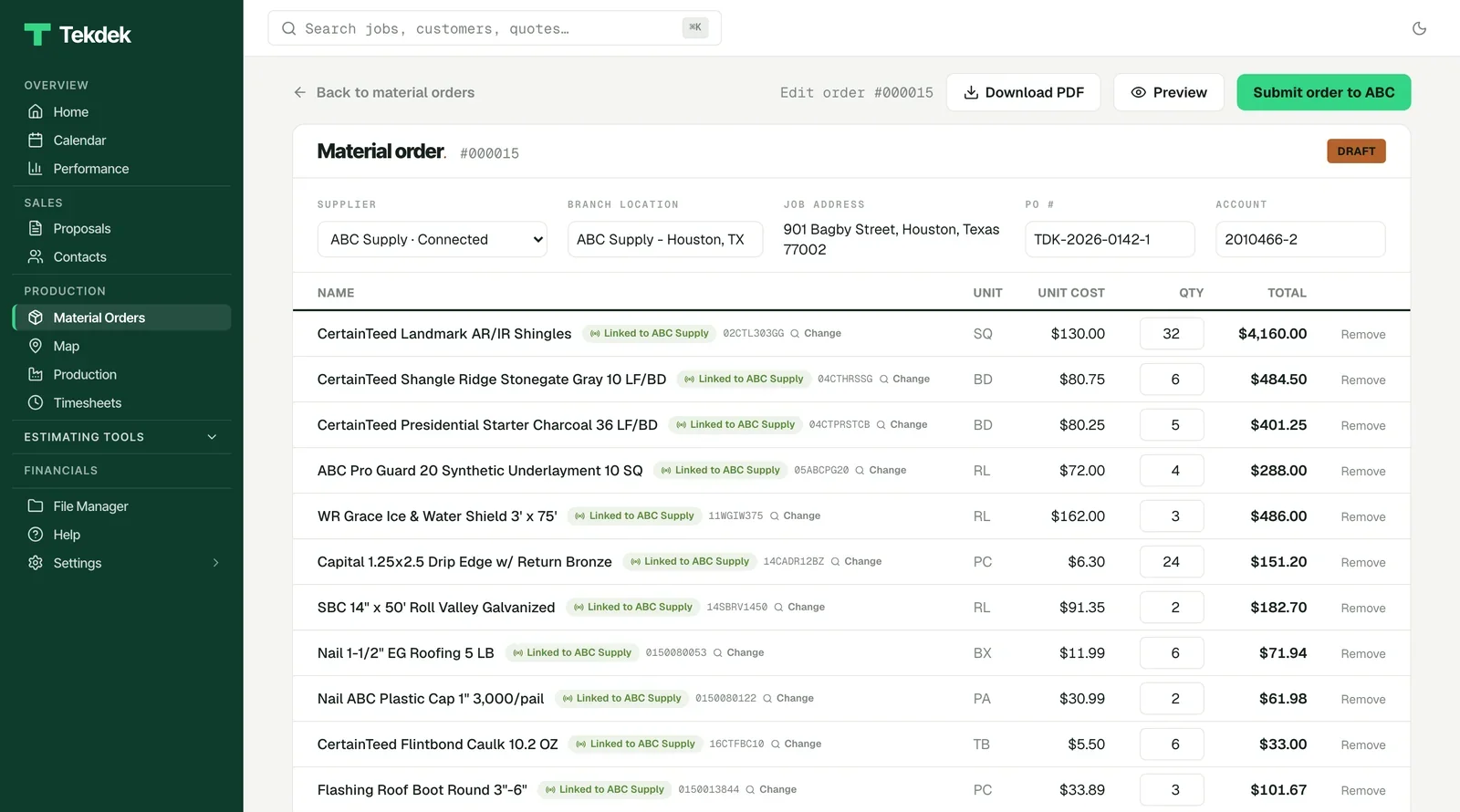
Turn the sold job into a material order with the delivery address, date, service and point of contact, then submit it. ABC’s confirmation number comes back onto the order.
You need an ABC Supply account with online access, the login you use for ABC’s online tools.
The guide covers setup, day-to-day use, every message you might see and who to contact.
Connecting ABC, catalog search, the pricing shown in Tekdek, building and submitting orders, and any error message in Tekdek.
Your ABC account and credit, contract pricing, stock, delivery scheduling, and changes or cancellations to an order that has already been submitted.